Deleted Transactions and How to Restore Them
A paid transaction that was deleted by mistake is not lost. Ottu keeps it in a separate list, Deleted Paid Transactions, and you can bring it back to the transactions table from there.
A paid transaction was deleted by mistake. How do I bring it back?
Who can do it: a user with the Can restore payment requests permission (for the E-Commerce plugin: Can restore e-commerce payments). If you do not see Deleted Paid Transactions in the sidebar or Restore under Actions, ask your account administrator to restore the transaction or to give you the permission. See Users and Access.
In the Ottu Dashboard sidebar, open the plugin the transaction belongs to, for example Payment Request.
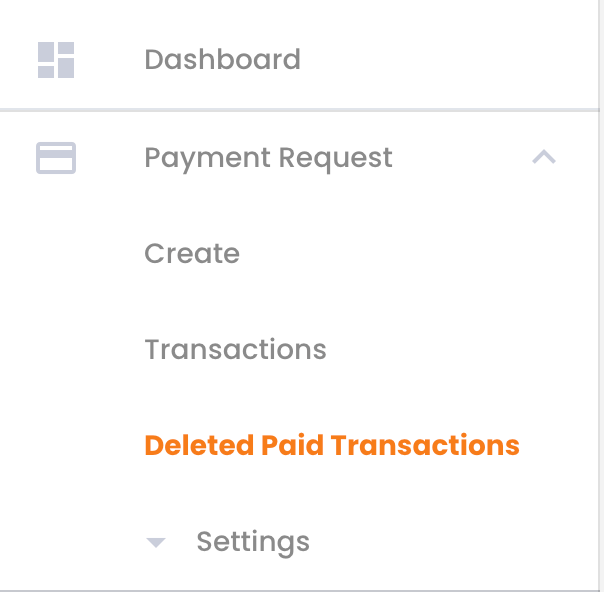
Click Deleted Paid Transactions.
Find the transaction. The list has the same Filter and search as the transactions table: see Search & Filter Payments.

Tick the checkbox at the start of the transaction's row. To restore several transactions at once, tick each of them.
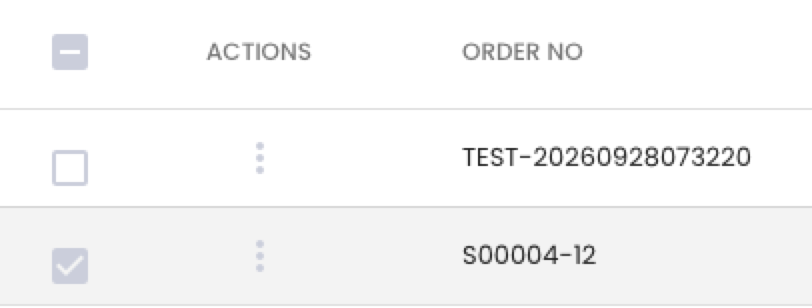
Click Actions above the table and choose Restore. Actions is greyed out until a row is ticked.

In the Are you sure? window, click Yes.

The message Transaction restored. appears and the transaction is back in the plugin's Transactions table, in the same state it had before.
Restore is only in Actions above the table. The three-dot menu of a row does not have it.
Which deleted transactions can be restored?
- Can be restored: a transaction that was paid, authorized, refunded, voided, expired or canceled, or on which the customer had made a successful payment attempt. It is in Deleted Paid Transactions.
- Cannot be restored: a transaction that was never paid and had no successful attempt (state Created, Pending, Attempted or Failed). It is removed for good. Create the payment again.
Deleting a transaction in Ottu does not refund or cancel the payment at the bank. The customer's payment stays as it was.
How does a transaction get deleted?
A user with the Can delete payment requests permission can delete a transaction from the transactions table: three-dot menu of the row > Delete > Yes.
Ottu refuses to delete a transaction in two cases:
- The customer is paying right now. Wait until the customer finishes.
- The transaction is authorized and still holds the customer's funds. Void it first.
What's Next?
- Search & Filter Payments -- Find a transaction in a table
- Users and Access -- See who is on your account and what they can do
- Transaction States -- What each state means