Users and Access
Each person who signs in to your Ottu Dashboard has their own user. An administrator of your account manages the users in the Administration panel: who they are, whether they can sign in, and what they are allowed to see and do.
This section answers three questions:
- How do I get the list of users on my account? (this page)
- Why can't I see all the transactions?
- How do I change my password?
How do I get the list of users on my account?
Who can do it: an administrator of your account. Only administrators see the Administration panel entry. If you do not see it, ask your account administrator for the list.
In the Ottu Dashboard, click the three-dot menu in the top-right corner, next to your name.
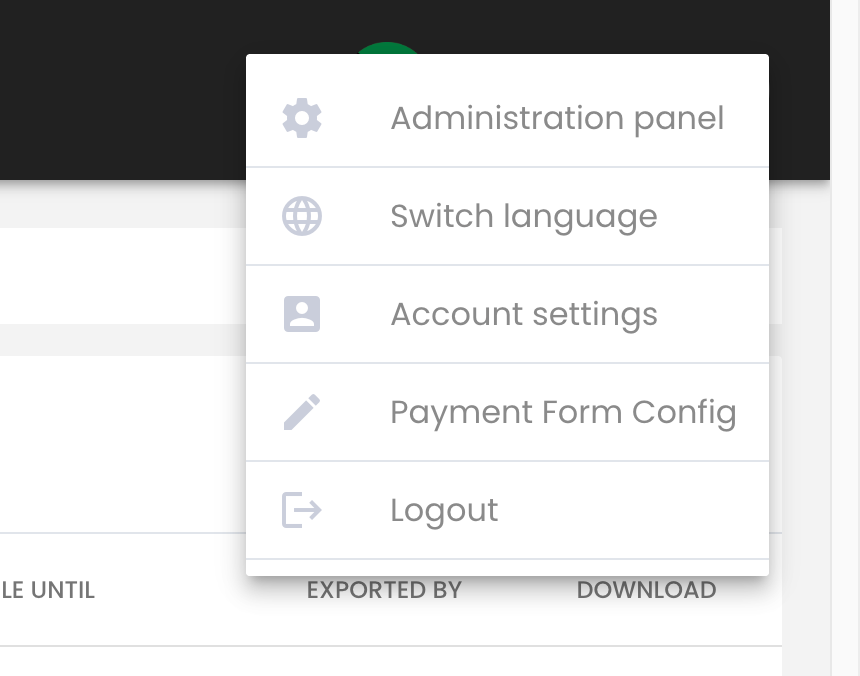
Click Administration panel.
In the top menu of the Administration panel, click Users.

The page lists every user on your account with their username, whether they are active, whether they are a superuser or staff, and their groups.
To narrow the list:
- Type a username in the search box and click Search to find one user.
- Use the filters superuser status, staff status, active and groups to show only those users.
The list cannot be exported to a file. To share it, copy it from the page.
Add a user
Who can do it: an administrator.
Open the Users page as described above.
Click Add User at the top right of the page.

Fill in the username, First name, Last name, email address and Phone number, then Password and Password confirmation. Each user needs their own email address.
Save.
Give the new user the username and the password yourself. Ottu does not send them an invitation email.
Then give the user the permissions they need: see How an administrator gives a user access.
Deactivate a user who left
Who can do it: an administrator.
Open the Users page and click the user.
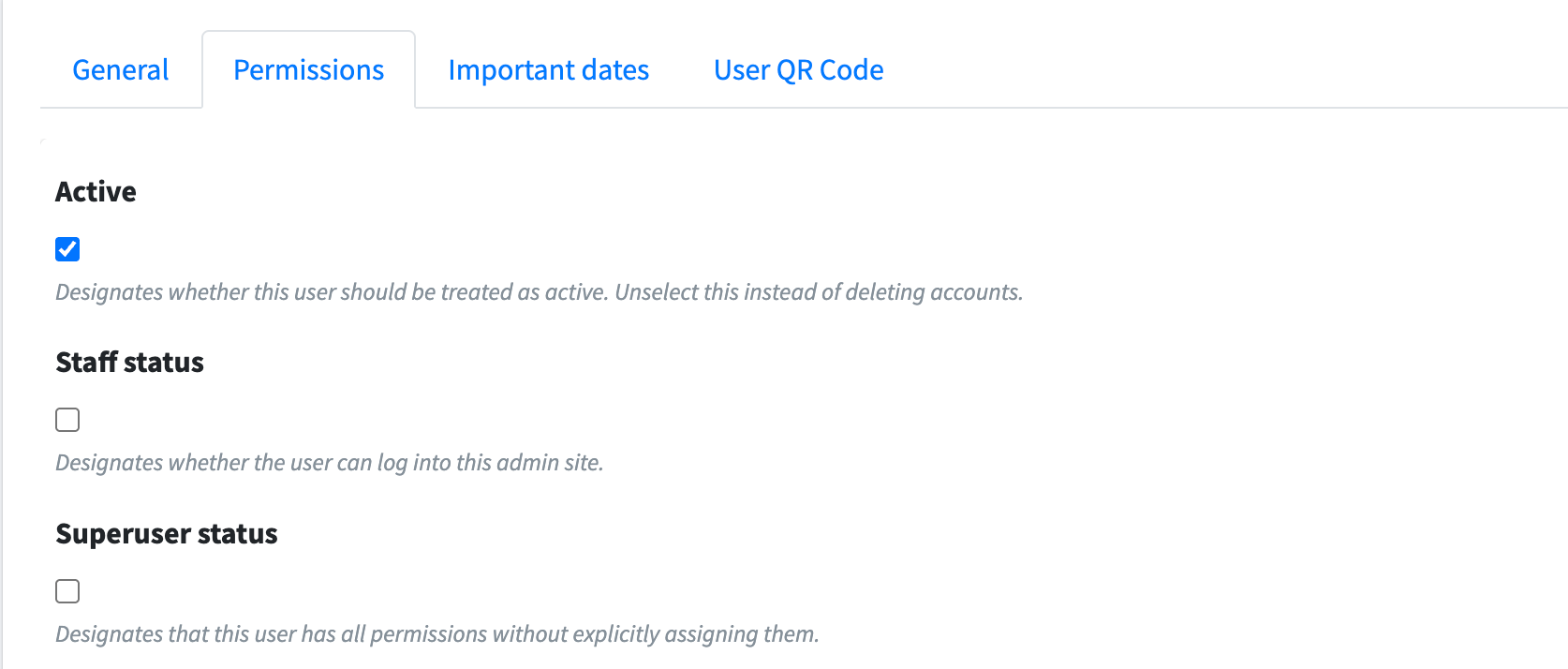
Open the Permissions tab and untick Active.
Click Save.
The user is signed out and can no longer sign in.
What's Next?
- Why can't I see all the transactions? -- What decides which transactions a user sees
- Change or reset a password -- For yourself or for another user
- Refund & Void Access Control -- Who can refund and void